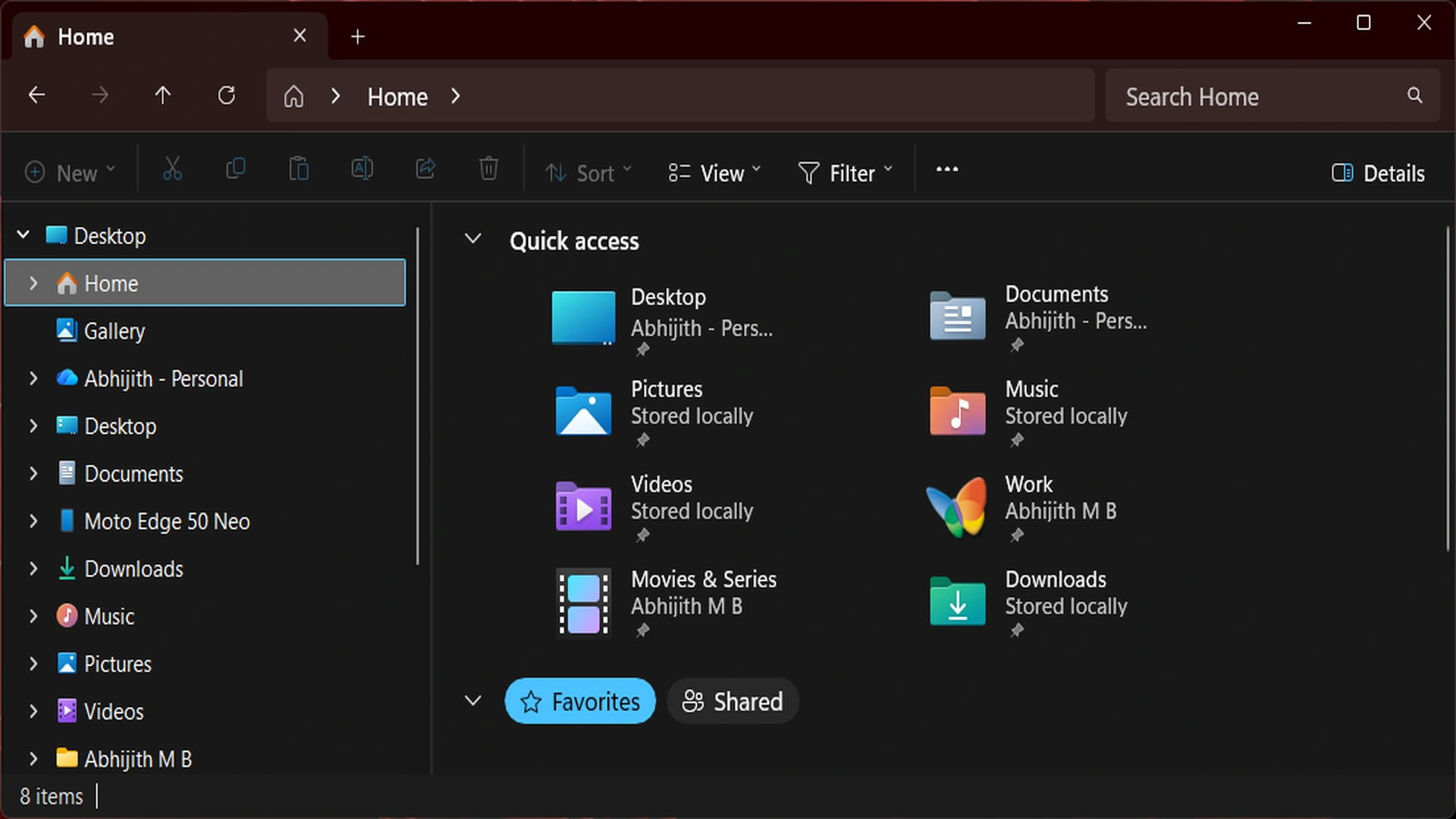
Microsoft is preparing one of the most meaningful Windows 11 quality updates in recent months, with a major focus on File Explorer performance, visual polish, and system reliability.
The company has started testing the improvements through Windows 11 Build 26200.8313 in the Release Preview Channel, signaling that public rollout could begin soon.
For millions of Windows users, File Explorer remains one of the most frequently used parts of the operating system.
- Open folders
- Organize files
- Move documents
- Access storage drives
- Manage daily workflows
Because of that, any delay, crash, or glitch inside File Explorer directly affects the overall Windows experience.
Now, Microsoft appears to be responding with a broad set of improvements designed to make File Explorer faster, smoother, and more dependable.
File Explorer Finally Feels Faster
One of the biggest complaints from users has been sluggish File Explorer performance, especially after booting the PC or launching it for the first time.
On lower powered hardware, users often reported delays of several seconds before folders fully loaded.
According to early testing of the preview build, File Explorer now opens more quickly and feels more responsive during everyday use.
Reports suggest this is not merely background preloading, but actual performance optimization within File Explorer itself.
That distinction matters. Instead of masking delays, Microsoft seems to be improving the core code behind the feature, which could lead to more consistent speed gains across a wider range of devices.
For users with entry level laptops, older desktops, or systems with slower storage, this may become one of the most appreciated Windows 11 updates of the year.
Dark Mode Gets A Long Awaited Visual Fix
Windows 11 users who prefer dark mode have faced a frustrating issue for some time.
Opening File Explorer, switching tabs, changing folders, or resizing panels could trigger sudden white flashes on screen.
These bright flashes disrupted the dark theme experience and gave File Explorer an unfinished feel.
Microsoft has now addressed this issue in the latest preview update.
Users testing Build 26200.8313 report that the white background flashes have been removed or significantly reduced when File Explorer runs in dark mode.
This may seem like a small visual fix, but for daily users who spend hours inside File Explorer, it represents a welcome quality improvement that enhances comfort and consistency.
Explorer.exe Stability Improvements Could Benefit Entire Windows Experience
Beyond File Explorer itself, Microsoft is also improving reliability around explorer.exe, one of the most important Windows processes.
Explorer.exe powers several core interface elements, including:
- File Explorer
- Taskbar
- Start related shell components
- System tray interactions
- Desktop environment
When explorer.exe runs into trouble, users may notice:
- Lagging taskbar menus
- Freezing flyouts
- Delayed interface responses
- Occasional crashes
Microsoft says this update improves how explorer.exe behaves when File Explorer windows are rapidly opened or closed.
As a result, users may experience smoother taskbar flyouts, better Task View responsiveness, and fewer random interface slowdowns.
This type of invisible engineering work often delivers the biggest real world benefits.
New Archive Formats Now Supported
Microsoft is also expanding File Explorer’s built in archive handling.
Users will now be able to extract more file types directly through the right click menu without relying on third party apps.
New supported formats include:
- cpio
- uu
- xar
- nupkg
The inclusion of nupkg support may be especially useful for developers and technical users working with NuGet packages.
Native archive support helps streamline workflows and reduces dependence on extra software, which aligns with Microsoft’s effort to modernize Windows productivity tools.
Folder View Preferences Finally Get Smarter
Another long standing annoyance involved folder customization settings.
Users who adjusted icon sizes, sorting preferences, or layout views inside a folder sometimes found Windows ignored those choices when opening the same location through another app such as a browser or external software.
Microsoft says that issue has now been fixed, allowing folder preferences to remain more consistent across apps and pathways.
This may sound minor, but it improves the sense that Windows remembers how users want their workspace arranged.
Safer File Preview Experience Added
The update also introduces the ability to preview internet downloaded files using a Preview anyway option.
This gives users a more direct way to inspect files before fully opening them, potentially improving both convenience and caution when dealing with unknown downloads.
Combined with security features already built into Windows 11, this could become another useful productivity layer.
When Will Users Get The Update
Build 26200.8313 is currently available to Windows Insiders in the Release Preview Channel.
Microsoft is expected to begin wider rollout through the April 2026 optional update.
Users who skip optional updates should receive these improvements through the standard May 2026 Patch Tuesday release.
The scheduled Patch Tuesday date is May 12, 2026.
That means most mainstream Windows 11 users may only be weeks away from receiving the upgrades.
Why This Update Matters
For years, operating system updates often focused on flashy features, AI integrations, or design changes.
But many users simply want the basics to work better.
This File Explorer update reflects a practical shift in priorities:
- Faster everyday performance
- Better dark mode polish
- Fewer crashes
- More reliable system interface behavior
- Improved productivity tools
Those changes may not create headlines like new AI tools, but they often matter more in daily computing.
Final Verdict
Microsoft’s latest Windows 11 update could become one of its smartest moves yet.
By focusing on File Explorer speed, stability, and usability, the company is addressing real frustrations felt by ordinary users and professionals alike.
If these improvements perform as promised during public rollout, Windows 11 may soon feel smoother, faster, and more refined where it matters most.
Sometimes the best upgrades are not the loudest ones. They are the ones users notice every single day.