A New Chapter as Samsung Expands Beyond Mobile Browsing
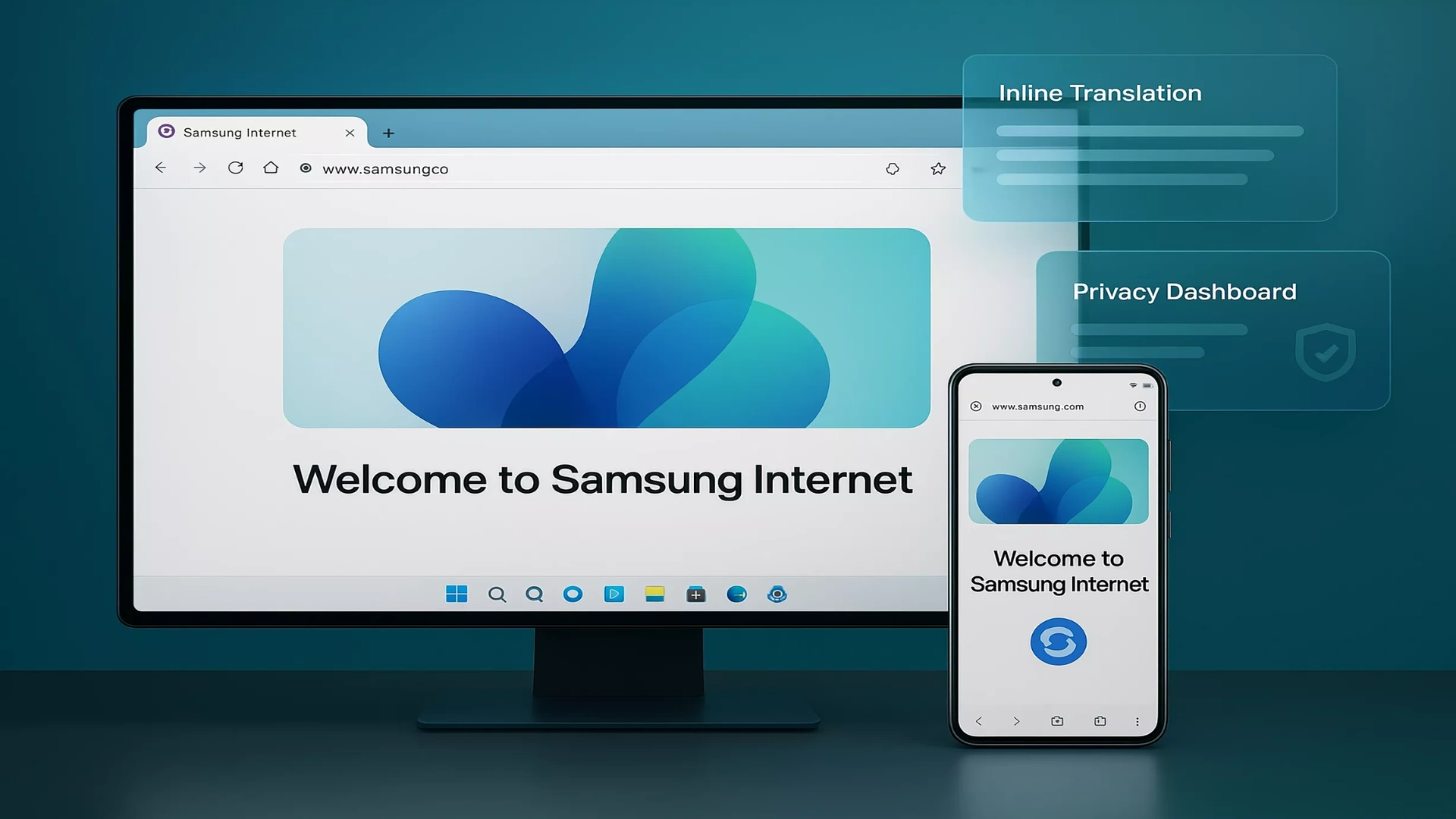
Samsung has officially launched its Samsung Browser for Windows, marking a significant step in its effort to extend its ecosystem beyond smartphones. After completing its beta phase, the browser is now available to a wider audience, bringing a familiar mobile browsing experience to desktop users.
This move reflects Samsung’s broader strategy of creating a tightly connected ecosystem where users can transition effortlessly between devices. While the browser has long been a staple on Galaxy smartphones, its arrival on Windows signals the company’s intent to compete more directly with established desktop browsers.
At its core, Samsung Browser for Windows is designed to offer continuity. Users can move between their Galaxy phones and Windows PCs without losing their place, making the browsing experience more fluid and less fragmented.
Seamless Continuity Between Galaxy Phones and Windows PCs
One of the standout features of Samsung Browser for Windows is its ability to resume exactly where users left off on their smartphones. Unlike traditional syncing methods that rely on bookmarks or recently opened tabs, Samsung’s approach restores the exact webpage state.
This functionality is powered by Samsung Account integration along with its continuity services. When properly set up, users can switch devices and instantly continue reading, watching, or browsing without interruption.
Currently, this feature is optimized for select Samsung devices, particularly the Galaxy Book 3, 4, 5, and 6 series. However, Samsung has indicated that support will expand to more devices over time, suggesting a broader rollout in the near future.
This emphasis on continuity highlights a growing trend in the tech industry, where seamless cross device experiences are becoming a key differentiator.
Familiar Features With Secure Autofill and Password Management
Samsung Browser on Windows also brings essential features that users expect from a modern browser. Integration with Samsung Pass allows users to access saved credentials and personal data across devices.
This means login information, addresses, and other details can be autofilled securely, reducing friction during everyday browsing. The experience is comparable to what users get from other major browsers, ensuring that Samsung’s offering does not fall behind in terms of convenience.
Security remains a central focus, with Samsung leveraging its existing ecosystem to maintain user trust while handling sensitive information.
Agentic AI Takes Center Stage With Perplexity Integration
The most notable addition to Samsung Browser for Windows is its new agentic AI functionality, developed in partnership with Perplexity. This feature introduces a more intelligent and proactive browsing assistant that can understand context and help users act on information more efficiently.
Rather than simply responding to commands, the AI is designed to interpret what is on the screen and across open tabs. This allows it to provide meaningful assistance in real time.
Samsung has outlined several use cases that demonstrate the potential of this AI integration. For instance, users can generate travel itineraries based on the content they are viewing, making trip planning faster and more intuitive.
The AI can also identify and jump directly to specific moments in long videos, saving time when searching for key information. Additionally, it enables natural language search within browsing history, allowing users to find previously visited pages without remembering exact keywords.
Another useful capability is product comparison across multiple tabs, helping users make informed decisions without manually switching between pages.
These features position Samsung Browser as more than just a browsing tool. It becomes an intelligent assistant that actively supports user tasks.
Competing in an AI Driven Browser Landscape
Samsung’s entry into AI powered desktop browsing comes at a time when competition is intensifying. Other major browsers are also integrating advanced AI capabilities to enhance user experience.
Samsung’s collaboration with Perplexity mirrors similar efforts seen across the industry, where AI is being embedded directly into browsing environments. This shift represents a broader transformation in how users interact with the web.
By focusing on context awareness and actionable insights, Samsung aims to differentiate its browser from traditional offerings that rely primarily on search and navigation.
Availability and Regional Limitations
Samsung Browser for Windows is now rolling out for devices running Windows 10 version 1809 and above, as well as Windows 11. This ensures compatibility with a wide range of modern PCs.
However, the AI features are currently limited to select regions, including South Korea and the United States. Samsung has stated that a broader rollout is expected in the future, though no specific timeline has been provided.
As with many of Samsung’s ecosystem features, the full experience is best realized when using Galaxy hardware. This may limit its appeal for users outside the Samsung ecosystem, at least in its current form.
A Strategic Move Toward Ecosystem Dominance
The launch of Samsung Browser for Windows reflects a larger vision of ecosystem integration. By bringing its browser to desktop platforms, Samsung is strengthening the connection between its mobile and PC products.
This approach aligns with the company’s ongoing efforts to create a unified digital environment where devices work together seamlessly. From smartphones to laptops, Samsung is building an ecosystem that encourages users to stay within its platform.
While it remains to be seen how widely the browser will be adopted, its combination of continuity features and AI capabilities makes it a noteworthy addition to the market.
The Road Ahead for Samsung Browser on Windows
Samsung Browser’s expansion to Windows is more than just a platform update. It represents a shift in how the company envisions the future of browsing.
With AI playing an increasingly central role, the browser is evolving into a tool that not only displays information but also helps users understand and act on it.
As Samsung continues to refine its AI features and expand availability, the browser could become a stronger contender in the desktop space. For now, it stands as an ambitious step toward a more connected and intelligent browsing experience.